Tests
Initialize test infrastructure
use_testthat()Create test file to match the R/*.R file
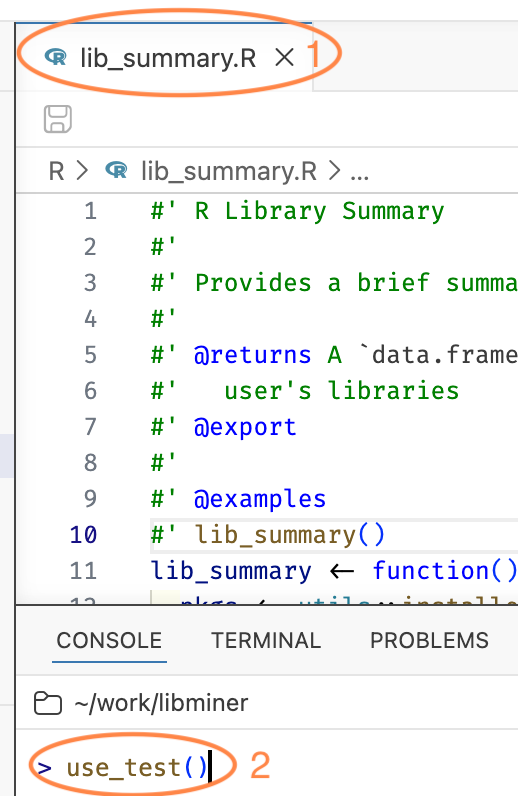
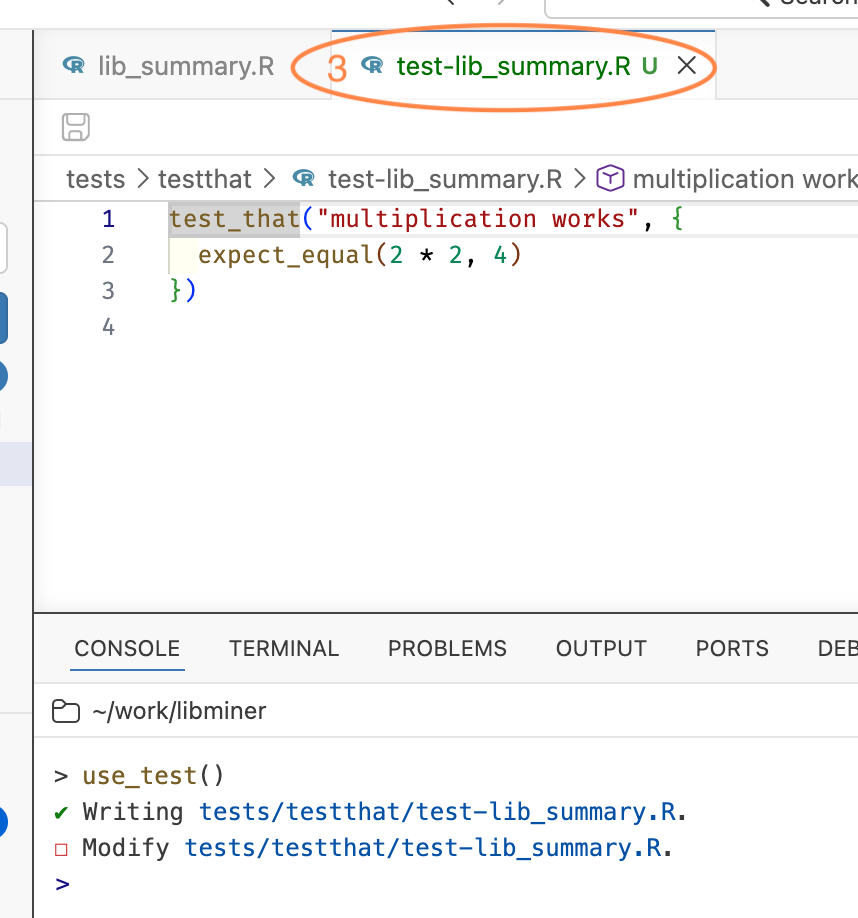
use_test("lib_summary")More typically, you don’t type the file name at all. With R/lib_summary.R open in the editor, just call use_test() with no arguments and usethis creates (or opens, if it already exists) the companion test file tests/testthat/test-lib_summary.R.
Here R/lib_summary.R is the active file (1), so use_test() needs no argument (2), and usethis writes the companion test file and opens it (3).
use_r() is the inverse of use_test(). It’s helpful for creating or focusing the R/*.R file when you’re staring at the test file.
Write tests
Make this the content of tests/testthat/test-lib_summary.R:
test_that("lib_summary returns expected results", {
  res <- lib_summary()
  expect_s3_class(res, "data.frame")
  expect_equal(ncol(res), 2)
  expect_equal(names(res), c("Library", "n_packages"))
  expect_type(res$Library, "character")
  expect_type(res$n_packages, "integer")
})

test_that("lib_summary fails appropriately", {
  expect_error(lib_summary("foo"), "unused argument")
})
Run tests
- R: Test R Package in Test Explorer from Positron Command Palette or
- Cmd/Ctrl + Shift + T or
test()in R console (the command / keyboard shortcut is better, though)
That first option uses Positron’s R test explorer, which gives you a tree of your test files and test_that() blocks, with pass / fail marks attached to each one. You can run or re-run an individual test from there, which is very handy when you’re iterating on one failure.
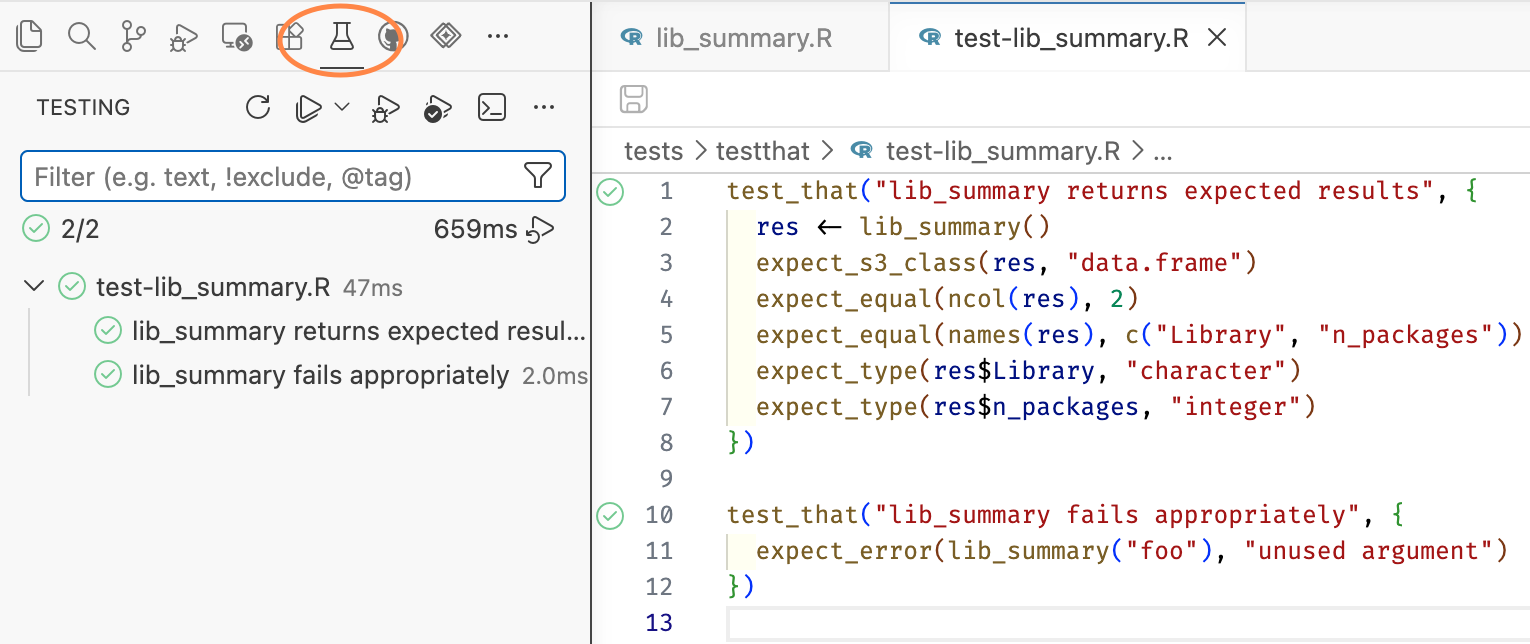
There is also R: Test R Package in Terminal, which just runs devtools::test() in a terminal and gives you plain console output.
Check package again
- R: Check R Package from Positron Command Palette or
- Cmd/Ctrl + Shift + E or
check()in R console (the command / keyboard shortcut is better, though)